We’ve all been there: a drawer tangled with USB-A, Micro-USB, and USB-C cables. The promise of USB-C was a single, universal connector to charge everything from your phone to your laptop. Yet, the reality of Fast Charging is far more complicated.
Why does your new Laptop Charger work for your phone, but your phone USB charger does nothing for your laptop? Why do some USB chargers power up your device in 30 minutes, while others take three hours?
This guide will demystify USB charging, explain why not all USB Charger types are created equal, and show you how to charge all your devices safely and efficiently.
Connectors vs. Protocols: Understanding USB-C, USB PD, and Fast Charging
The biggest source of confusion is mixing up the physical shape of the plug with the charging technology inside it.
1. The Connector (The Shape)
This is the part you can see. There are three main types you’ll encounter:
- USB-A: The classic, rectangular port you see on computers, old phone chargers, and wall outlets. It’s a one-way-only plug.
- Micro-USB: The smaller, tapered connector that was the standard for most non-Apple phones, cameras, and accessories for years.
- USB-C: The new, oval-shaped, reversible connector. This is the modern standard for new laptops, tablets (including iPads), Android phones, and even the latest iPhones.
The Key Takeaway: Just because two chargers have a USB-C port does not mean they have the same capabilities. The connector is just the “door”; what matters is the power and technology flowing through it.
2. The Protocol (The “Language”)
This is the invisible technology that determines how a device charges. The USB charger (power adapter) and your device (phone, laptop) must “speak the same language” for Fast Charging to work safely.
- Base Charging (The Default): This is the slow, basic power you get from a standard USB-A port on an old computer, typically 2.5 watts (5V/0.5A).
- USB Power Delivery (PD): This is the modern, universal standard for fast charging over USB-C, enabling Smart Charging. It’s not a single thing, but an evolving standard:
- PD 2.0: Introduced the idea of “negotiating” power, allowing for higher wattages (up to 100W) at fixed voltages (like 5V, 9V, 15V, 20V).
- PD 3.0: Built on PD 2.0, adding a key feature: Programmable Power Supply (PPS). This allows the device to request fine-grained voltage changes (e.g., 5.1V, 5.2V) instead of just fixed steps. The benefits of Programmable Power Supply in PD 3.0 include more efficient charging, less heat, and improving battery life with efficient fast charging.
- PD 3.1: The latest standard, designed for even more powerful devices. It expands the voltage range to support up to 240W, making it suitable for high-performance laptops and even portable power stations.
- A key feature of USB PD is bidirectional power flow. This means a device can both send and receive power. For example, a Power Bank can charge your laptop, or your laptop (if it supports it) could theoretically charge the power bank through the same port.
- Proprietary Standards: Many brands developed their own fast-charging languages to compete. You’ve likely seen them:
- Qualcomm Quick Charge (QC): Very common in Android phones.
- Samsung Adaptive Fast Charging (AFC): Specific to Samsung devices.
- OnePlus Warp Charge, etc.
USB-C Charger Compatibility: Power Delivery (PD 2.0, 3.0, 3.1) and Quick Charge
This is the million-dollar question. The short answer is: No.
The long answer is: It depends on Watts and Protocol. This lack of true universal compatibility of USB-C power delivery chargers is a common frustration.
Let’s look at the most common scenarios you’ll face:
Scenario 1 (Safe but Slow): Low-Power USB Charger + High-Power Device
- Example: Plugging your 65W laptop into an 18W phone USB charger.
- Result: This is not dangerous, but it’s ineffective. The laptop will either charge extremely slowly or not at all. This highlights the importance of knowing what is the optimal wattage for laptop USB-C chargers (hint: it’s the wattage the manufacturer supplied, or a certified equivalent).
Scenario 2 (Safe and Fast): High-Power USB Charger + Low-Power Device
- Example: Plugging your 18W smartphone into a 100W laptop USB charger.
- Result: This is perfectly safe and works great. This is Smart Charging in action. Your phone’s circuitry will “tell” the powerful charger, “I only need 18W,” and the charger will only provide that amount.
Scenario 3 (The “Fast-Fail”): Mismatched Protocols
- Example: Plugging a phone that uses Quick Charge (QC) into a charger that only supports Power Delivery (PD).
- Result: They don’t speak the same fast-charging “language.” They’ll revert to the slowest, basic charging speed. This is why knowing how to choose the right USB PD charger for your devices is crucial.
The USB-C Cable: Supporting High Power Delivery and Video Transmission
To make things even more confusing, the USB-C Cable is just as important as the charger and the device. Cables are rated for specific power (wattage) and data/video speeds.
- Power Rating: Most standard, cheap USB-C cables are only rated to handle up to 60W of power. This is a common issue; how USB-C cables support high power delivery depends on their internal wiring and an “e-marker” chip that tells the charger its capabilities. If you use a 60W cable with a 100W charger, your laptop will only get 60W.
- Tips for selecting quality USB-C charging cables: Look for cables explicitly rated for 100W (or 240W for PD 3.1) from reputable brands. These are essential for any high-wattage device.
- Video & Data (A Common Trap): USB-C’s “do-it-all” promise includes video. However, not all cables support it.
- Standard Cables: Most charging cables (especially USB 2.0 ones) only transfer power and slow data. They do not support video.
- USB-C Alt Mode & Thunderbolt: To output video, you need a cable that supports “DisplayPort Alt Mode” or is a Thunderbolt-rated cable. This is one of the biggest compatibility issues with USB-C video transmission.
- Comparing USB-C Alt Mode video cables versus standard cables: A video-capable cable has extra internal wires for high-speed data. Understanding USB-C video transmission and Thunderbolt support is key; Thunderbolt is a higher-spec protocol that runs over the USB-C connector, offering the fastest data and video.
- How to troubleshoot USB-C video output issues: 90% of the time, the problem is using a “charge-only” cable instead of a video-capable (Alt Mode or Thunderbolt) cable.
Maximizing Safety: Certified USB Chargers vs. “No-Name” Risks
Is it dangerous to mix and match USB chargers?
- If you use reputable brands: No. It is generally very safe, as you are maximizing safety with USB PD smart charging features. The worst-case scenario is that your device will charge slowly.
- **If you use cheap, uncertified, “no-name” USB chargers: Yes, this is a very real danger. These USB chargers cut corners. They lack the proper safety circuitry to regulate voltage and temperature. This can lead to overheating, damaging your device’s battery, or even posing a fire hazard. This applies to all devices; for example, there are safety considerations for charging vape pens with USB-C, as these small devices are very sensitive to incorrect voltage.
Why Choose Reputable Brands?
It’s all about testing and certification.
- Strict Compatibility Testing: Reputable, large brands will conduct extremely rigorous testing. They will use hundreds of different device models (phones, tablets, and laptops from various manufacturers) for compatibility testing to ensure the USB charger can correctly identify each device and provide safe, optimized power.
- Safety Certification (USB-IF): Look for the “USB-IF Certified” logo. This means the product has passed testing by the USB Implementers Forum, confirming it meets all safety and performance standards. It will “negotiate” power correctly and has built-in protection against overheating.
- Quality Internal Components: Cheap chargers use low-quality components that can easily fail or catch fire. Reputable brands invest in durable components built to withstand thousands of hours of use.
Buying a cheap, untested USB charger is a gamble with your expensive electronic devices.
How to Choose the Right USB PD Charger for Your Devices (Laptop, Phone, & More)
- Check Your Device: Look at your device’s original charger or search its specs online. Find two things:
- Max Wattage (W): e.g., 30W, 65W, 100W.
- Charging Protocol: e.g., “USB PD,” “Qualcomm Quick Charge 4,” “Samsung Super Fast Charging.” This is the key to how to choose the right USB PD charger for your devices.
- Buy a Smart Charger: Get a USB charger from a reputable brand that:
- Matches the Protocol: If your phone uses USB PD, get a USB PD charger. (Most new chargers support PD as the main standard).
- Matches or Exceeds the Watts: Get a charger with a wattage equal to or higher than your most powerful device. This is true for a Car Charger, wall charger, or power bank.
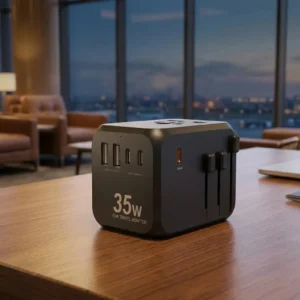
- Consider High-Wattage Uses: A high-power 100W+ PD charger can serve as a future-proof USB-C charger for multi-device charging and can even provide fast charging solutions for EcoFlow power stations or other large battery systems that support USB-C input.
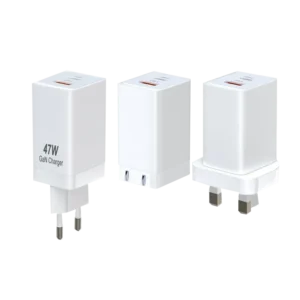
- Pro Tip: Look for “GaN” (Gallium Nitride): This new technology for chargers allows them to be smaller, more efficient, and produce less heat.
- Buy a Good Cable: Make sure the cable is also from a good brand and is rated to handle the wattage you need. A 100W charger needs a 100W-rated cable.
By following these steps, you can finally achieve the “one charger” dream. The USB PD charger benefits for smartphone and laptop alike are clear: a single, high-quality, high-wattage, multi-port USB-PD charger can often be the true, universal solution.
Customize Your High-Quality Charger
If you need to customize high-quality chargers that meet the highest standards and ensure excellent compatibility and safety, welcome to contact us. We specialize in providing professional charging solutions, including durable USB-C car charger with PD support and multi-device wall chargers.
For more details, please visit: https://imiapower.com/contact-pd-charger-manufacturer/